What is Evergreen
Evergreen pairs your team with an AI agent in a multiplayer session. The agent shows you its plan first when you ask, and opens pull requests your team reviews and merges.
Evergreen pairs your team with an AI agent in a multiplayer session. The agent works on your team’s repositories the way a teammate would. You describe a task, and the agent does the work and opens a pull request. If you’d like to see the approach first, the agent writes a plan and waits for your approval before it changes anything. Your own review and your repository’s own checks decide what merges.
How a task goes
- Describe. Write what you want done, in your own words, and choose the repositories it touches if you know them. Evergreen starts a session for the task.
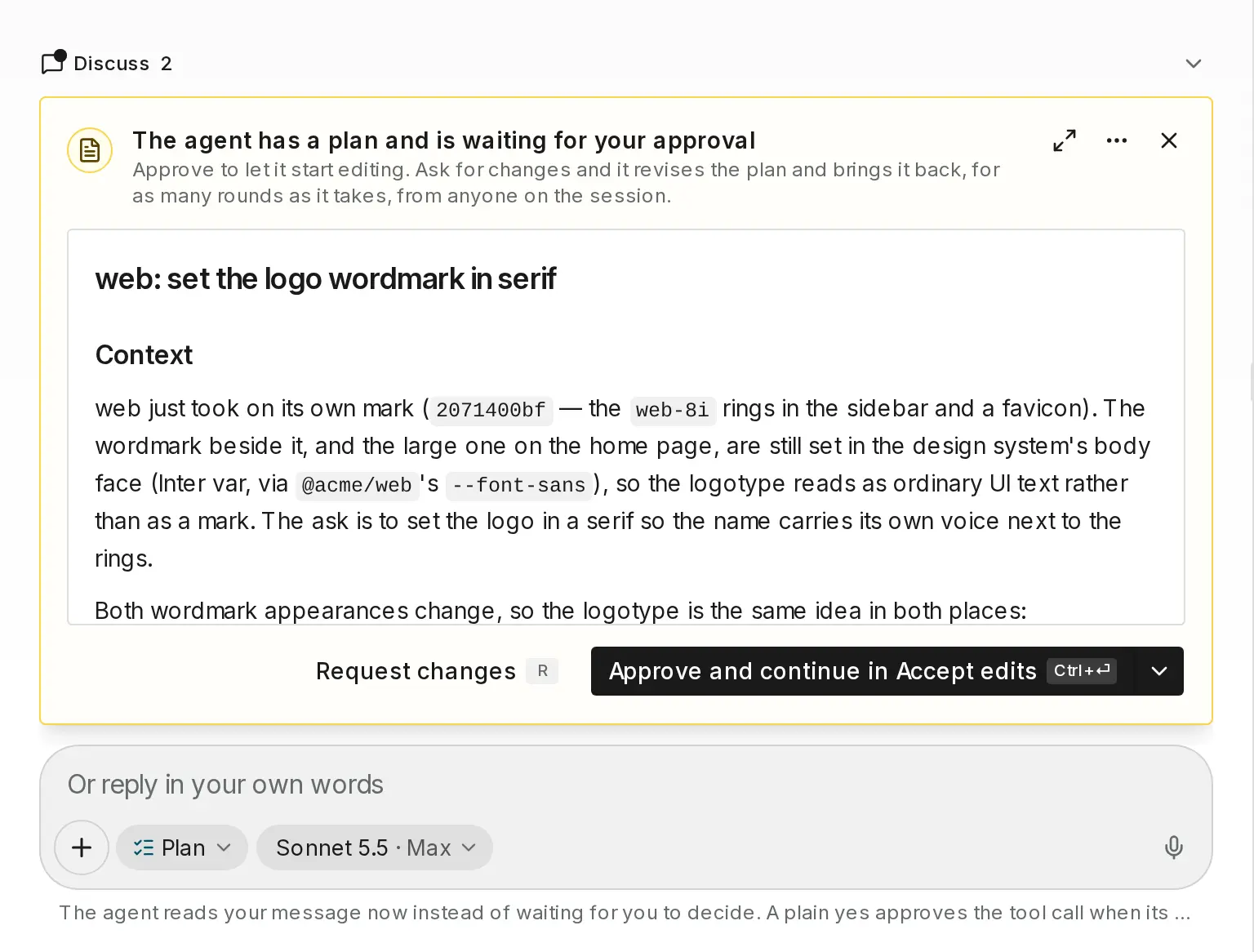
- Approve the plan. Start in Plan, and the agent writes a plan before it changes anything. You read it, ask for changes, or approve it. New sessions start in Auto unless you choose another mode, so the agent gets straight to work. Either way, if the agent needs a decision, it asks you a question and waits for your answer.
- Merge. The agent opens a pull request on your forge and keeps going until it’s ready: it fixes failing checks and answers review comments. You choose whether it merges on its own once everything is green or waits for you to approve the merge.
What runs where
| Part | What it does |
|---|---|
| Your repositories | Stay on your forge, GitHub or GitLab. The agent pushes branches there and opens pull requests that carry your name. |
| The agent | Runs in a workspace Evergreen starts for the session. It reads the code, runs commands, and writes changes. |
| Your review | Your reviewers, your required checks, and your merge rules apply to the agent’s pull request like any other. |
Nothing merges around your forge’s rules. If your repository requires an approval or a passing check, the agent’s pull request waits for it too.
What it costs
There are no seat fees, so you can invite everyone on your team. You pay for what sessions use: tokens at 15¢ per million on top of the model provider’s price, agent time at $1 an hour while the agent works, and workspace storage at 35¢ per GB-month while a session’s workspace is kept. Each person gets 7 days free in a workspace they own. Your first week says when it starts. Add credit explains how billing works.
Note
Evergreen works with the code you connect and the people you invite. It doesn’t touch a repository until you install it on that repository.
Where to start
Set up in this order. Each step takes a few minutes, and you can do the later ones whenever you need them.
Then connect Slack and CI, and invite your team.
Last updated